AI & TechnologyJune 5, 20267 min read
How to Turn a Blog Post Into a Video in Minutes
Your next video may already exist inside your blog. Learn how to transform articles, guides, tutorials, and written content into professional videos with AI voiceovers, captions, background music, and multi-platform formatting.
V
VidMaker Team
VidMaker Team
A Practical Guide for Creators, Businesses, Agencies, and Educators
Most people think they have a content creation problem.
In reality, they often have a content distribution problem.
Every week, businesses publish blog posts. SaaS companies release product updates. Agencies create guides for clients. Educators write lessons and tutorials. Independent creators publish long-form articles based on their expertise.
Then the same thing happens.
The article is published.
A few people read it.
Traffic slows down.
The content is forgotten.
Meanwhile, the same company is planning its next social media post, next video, next marketing campaign, and next content piece.
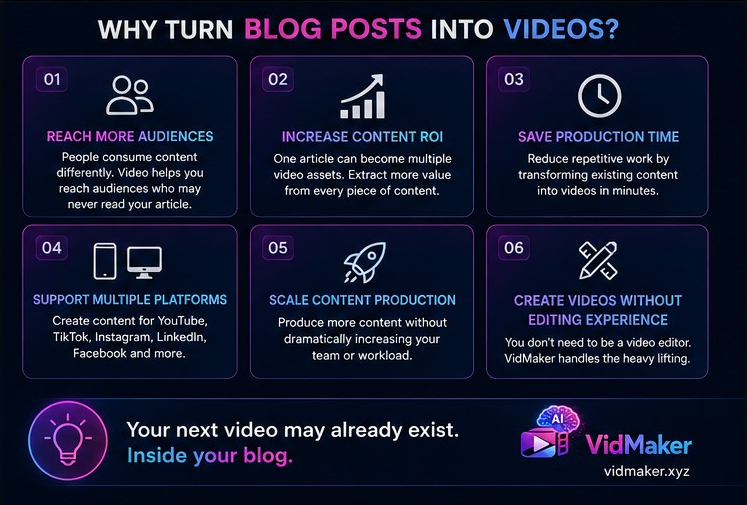
The irony is that the next video may already exist.
Inside the blog post.
The challenge is not creating more content. The challenge is getting more value from the content that already exists.
That is why blog-to-video workflows have become one of the most effective content repurposing strategies available today.
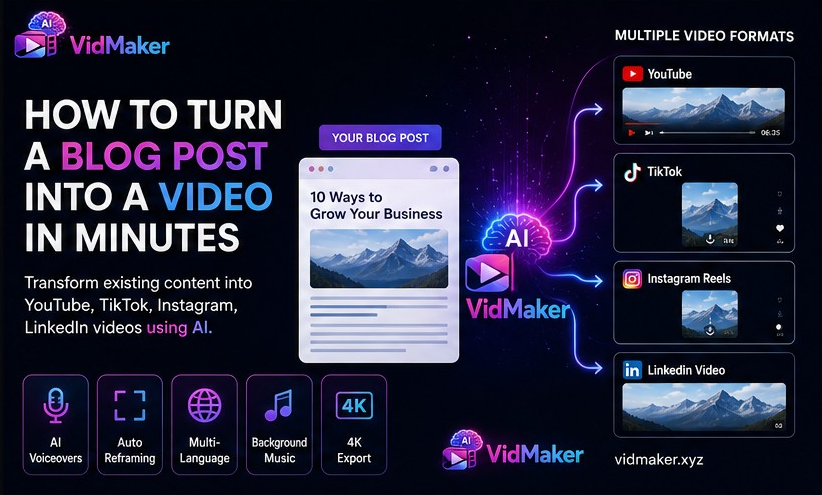
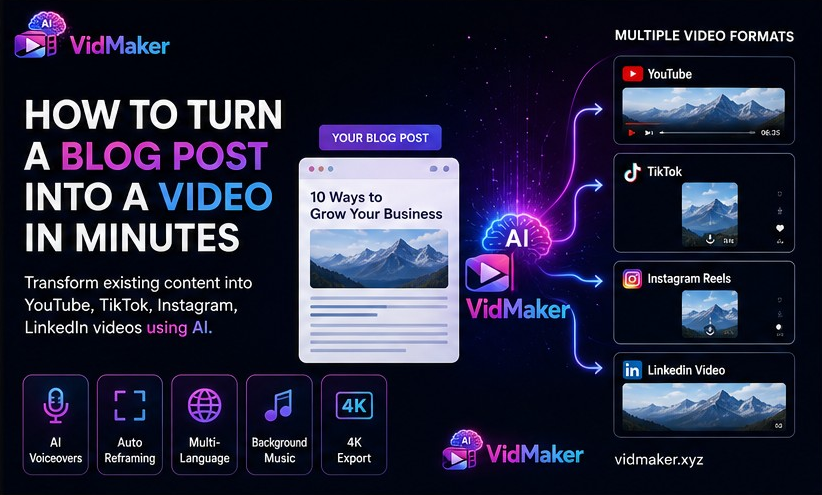
Instead of allowing a blog post to live in a single format, businesses can transform one article into videos for YouTube, TikTok, Instagram Reels, LinkedIn, Facebook, Pinterest, and other platforms.
The result is more reach, more engagement, and a higher return on every piece of content that gets created.
In this guide, you will learn how to turn a blog post into a video, why the process matters, and how modern AI-powered workflows can dramatically reduce the time required.
Why Blog Posts Make Great Video Content
A blog post already contains most of the ingredients needed for a video.
Think about what goes into creating an article.
You research a topic.
You organize information.
You create a structure.
You explain ideas.
You provide examples.
You create conclusions and recommendations.
These are the same building blocks that make up an effective video.
The difference is simply the format.
A blog reader consumes information through text.
A video viewer consumes information through visuals, audio, and motion.
The underlying message often remains the same.
For example, a blog titled:
"10 Ways to Improve Customer Retention"
already contains:
* A video introduction
* Ten video scenes
* Supporting talking points
* A video conclusion
The content exists.
It simply needs to be adapted.
This is why content repurposing is often more efficient than constantly creating new material from scratch.
The Cost of Creating Separate Content for Every Platform
Many organizations still treat every platform as a separate content project.
The blog team writes an article.
The social media team creates posts.
The video team creates videos.
The marketing team develops campaigns.
The result is duplicated effort.
Instead of extracting more value from existing content, teams spend time recreating the same ideas in different formats.
This approach becomes expensive as content requirements grow.
Modern marketing requires content for:
* Websites
* YouTube
* LinkedIn
* TikTok
* Instagram
* Facebook
* Email newsletters
Producing separate content for every platform can quickly overwhelm even experienced teams.
A blog-to-video workflow solves this problem by allowing one asset to generate many assets.
One article can become:
* A YouTube video
* Several YouTube Shorts
* Multiple TikTok videos
* Instagram Reels
* LinkedIn videos
* Video advertisements
* Educational videos
The amount of value extracted from a single article increases significantly.
Step 1: Select the Right Blog Post
Not every article performs equally well as a video.
The best candidates usually explain something, teach something, demonstrate something, or solve a problem.
Strong examples include:
* How-to guides
* Tutorials
* Product demonstrations
* Industry insights
* Case studies
* Educational content
* List-based articles
* Product reviews
For example:
"How to Improve Email Open Rates"
can easily become a video because each recommendation becomes a visual scene.
Similarly:
"5 Mistakes New Shopify Store Owners Make"
naturally translates into a sequence of visual examples and explanations.
When selecting content, prioritize articles that contain clear lessons and practical takeaways.
These generally perform best in video format.
Step 2: Break the Article Into Scenes
One of the biggest mistakes people make is treating a video as a narrated article.
A video is not a blog post being read aloud.
A video is a sequence of visual scenes.
Each major section of an article should become its own scene.
For example:
Article:
"7 Ways to Improve Social Media Engagement"
Video Structure:
Scene 1:
Introduction
Scene 2:
Respond Faster to Comments
Scene 3:
Use Better Visuals
Scene 4:
Post Consistently
Scene 5:
Ask More Questions
Scene 6:
Use Video Content
Scene 7:
Analyze Performance
Scene 8:
Conclusion
Breaking content into scenes improves clarity and viewer retention.
Instead of overwhelming viewers with large amounts of information at once, the video becomes easier to follow.
Step 3: Convert the Article Into a Video Script
A blog post and a video script serve different purposes.
Articles are written for readers.
Scripts are written for listeners.
Consider this sentence:
"Content marketing remains one of the most effective methods for generating qualified leads."
It works well in an article.
For a video, a more conversational version may be:
"Want more qualified leads? Content marketing remains one of the most effective ways to attract potential customers."
The meaning stays the same.
The delivery becomes more engaging.
The goal is not to rewrite every idea.
The goal is to make the information easier to consume in video format.
Step 4: Add Supporting Visuals
Visuals are what transform information into a video experience.
Without visuals, viewers have little reason to continue watching.
Depending on the topic, visuals may include:
* Product screenshots
* Website recordings
* Charts
* Motion graphics
* Illustrations
* Icons
* Stock footage
* User-generated content
Each visual should support the message being discussed.
The strongest videos create alignment between what viewers hear and what they see.
Step 5: Add Voiceovers
Voiceovers guide viewers through the content.
A strong voiceover creates flow, structure, and clarity.
There are generally two approaches.
The first is human narration.
The second is AI voice generation.
AI voice technology has improved significantly over the last few years.
Many creators and businesses now use AI voiceovers to reduce production time while maintaining professional quality.
This approach becomes especially valuable when producing content at scale.
For organizations publishing multiple videos each week, recording every voiceover manually can become difficult to maintain.
Step 6: Add Captions
Captions are no longer optional.
Many social media users watch videos without sound.
Captions improve:
* Accessibility
* Viewer retention
* Comprehension
* Engagement
They also help viewers consume content in environments where audio is not practical.
Captions should be clear, accurate, and synchronized properly with the voiceover.
When both work together, comprehension improves significantly.
Step 7: Optimize for Different Platforms
A single video should not remain locked to one platform.
The most effective content strategies adapt videos to different channels.
YouTube often favors longer educational content.
TikTok rewards concise and engaging content.
Instagram Reels focus heavily on visual presentation.
LinkedIn audiences often prefer professional and educational material.
The same message can be adapted without creating an entirely new video from scratch.
This is where video reframing and platform optimization become extremely valuable.
How AI Has Changed Blog-to-Video Production
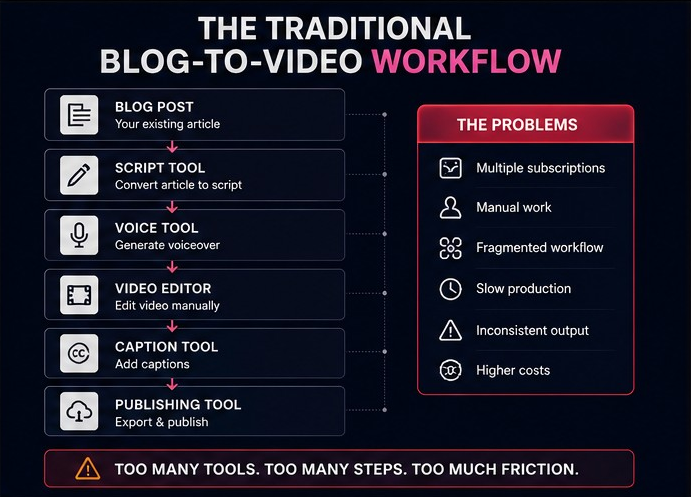
Historically, turning an article into a video required multiple tools.
A script tool.
A voice tool.
An editing tool.
A caption tool.
A publishing tool.
Each tool added complexity.
Each handoff created delays.
Modern AI workflows reduce much of this friction.
Today, organizations can transform articles into videos faster than ever before.
Instead of managing disconnected systems, they can move from content to finished video through a unified process.
This shift allows creators and businesses to focus more on strategy and less on production logistics.
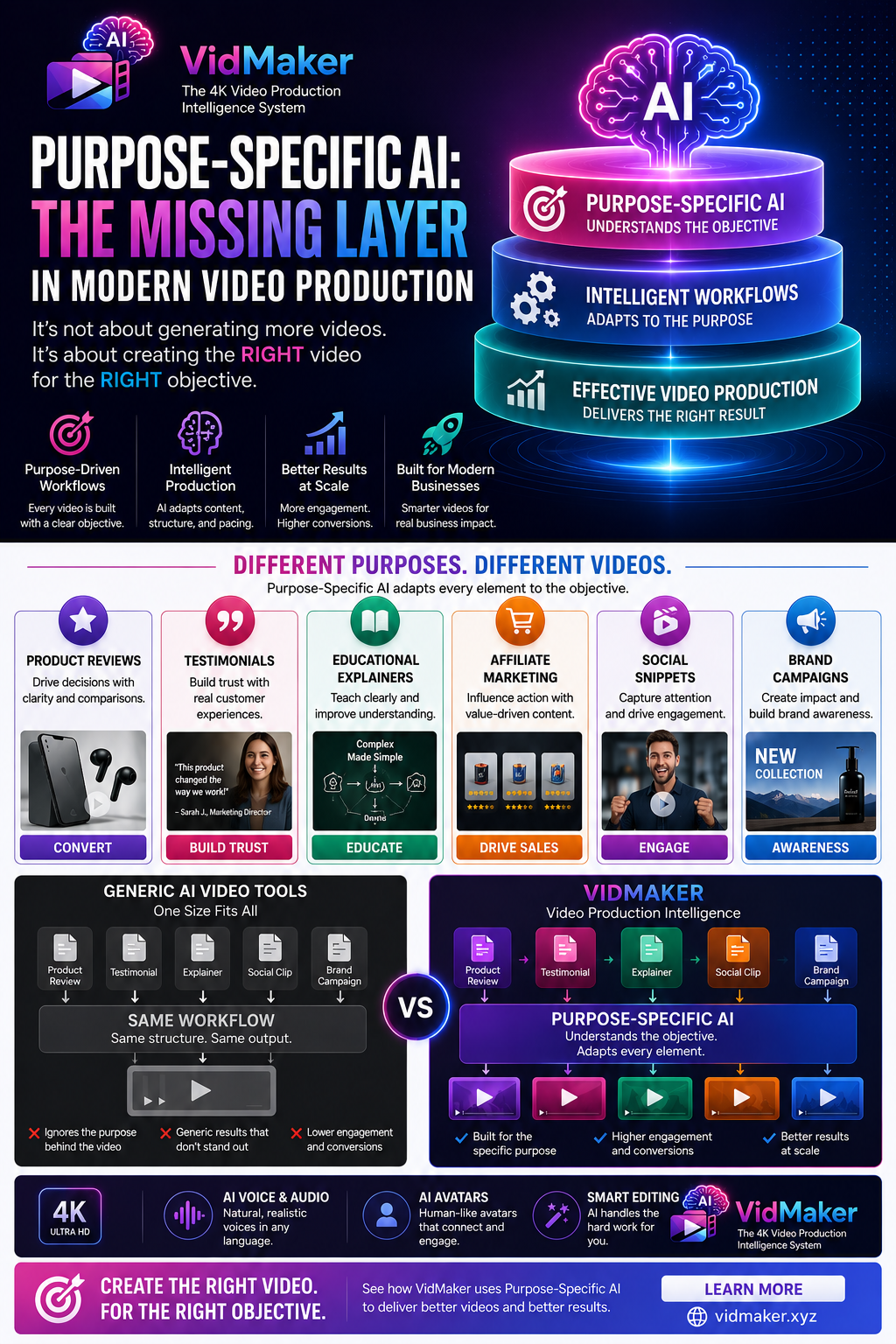
How VidMaker Simplifies the Workflow
One of the challenges with traditional video production is the number of tools involved.
A typical workflow may require:
* Content extraction
* Script creation
* Voice generation
* Video editing
* Caption generation
* Platform formatting
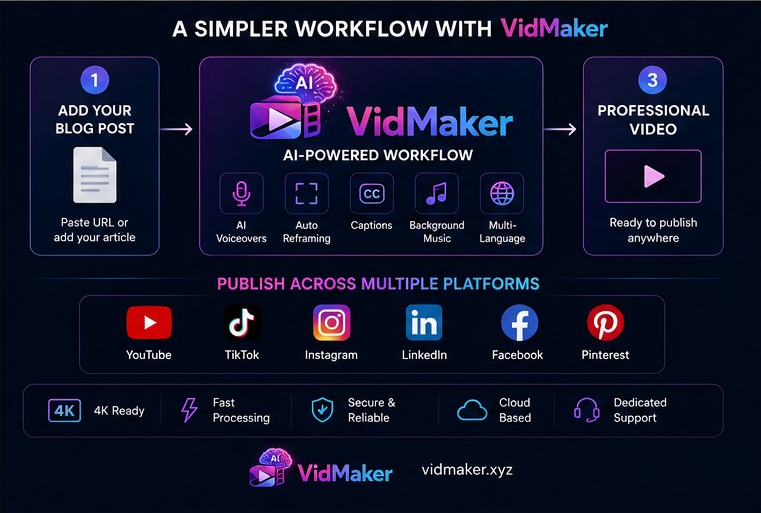
VidMaker was built to simplify this process.
Users can transform URLs, articles, product pages, scripts, and existing content into professional videos through a single workflow.
Capabilities include:
* AI voiceovers
* Background music
* Multi-language support
* Platform-specific formatting
* Social media reframing
* High-quality video exports
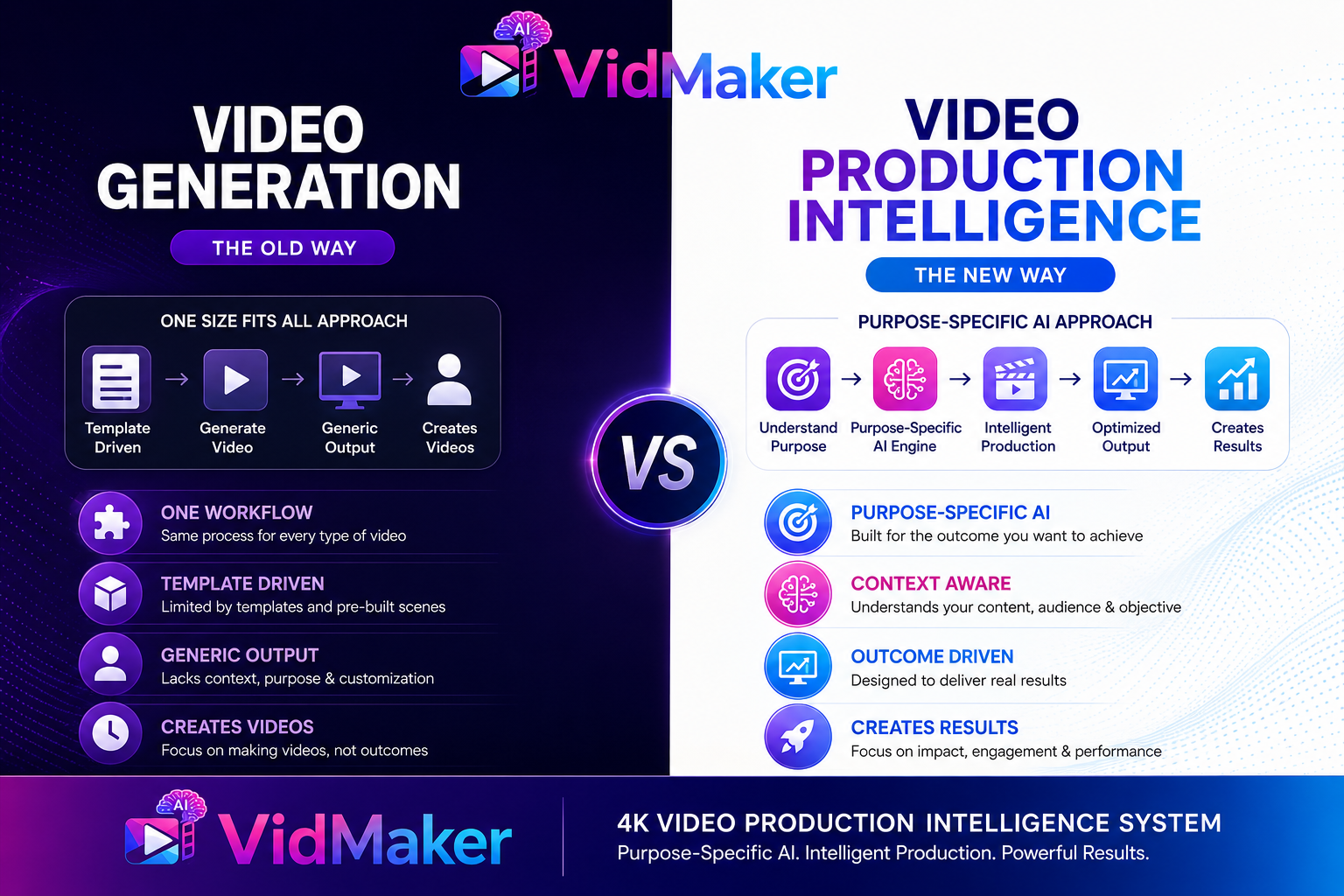
The objective is not simply video generation.
The objective is reducing the operational friction associated with video production.
Turn Articles Into Videos Faster
Create videos with AI voiceovers, background music, multi-language support, automatic reframing and 4K-ready exports.
[Try VidMaker]
Common Mistakes to Avoid
Many organizations make avoidable mistakes when repurposing content.
The first is reading articles word-for-word.
Video content should feel natural and conversational.
The second is ignoring platform requirements.
What works on YouTube may not work on TikTok.
The third is overloading scenes with information.
Each scene should focus on one key message.
The fourth is neglecting captions.
Captions significantly improve accessibility and retention.
The final mistake is failing to measure results.
Every content workflow should be evaluated based on performance and business outcomes.
Final Thoughts
The future of content creation is not producing more content.
It is extracting more value from existing content.
Every blog post represents an opportunity.
An opportunity to reach new audiences.
An opportunity to increase engagement.
An opportunity to extend the lifespan of valuable information.
Instead of allowing articles to remain trapped in a single format, organizations can transform them into videos that work across multiple platforms.
The content already exists.
The challenge is activating it.
For creators, businesses, agencies, and educators, blog-to-video workflows provide one of the most efficient ways to maximize the value of every piece of content they publish.
Start Creating Videos With VidMaker
Turn blog posts, articles, URLs, product pages, and written content into professional videos through a streamlined workflow.
Create videos with AI voiceovers, background music, multi-language support, platform-specific formatting, and social media reframing.
Your next video may already exist.
Start turning your content into video with VidMaker.
Share this article